How it works
On watch,
the whole time you cook.
From the mount on your wall to a call for help — five steps that turn an unattended stove into a phone that rings.
Up and running in minutes.
Mount it above the stove — adhesive or magnetic, no drilling. Open the app, join your Wi‑Fi, add your people. Done before the kettle boils.
- No drilling — adhesive or magnetic mount
- Guided in‑app pairing wizard
- First year of monitoring, free
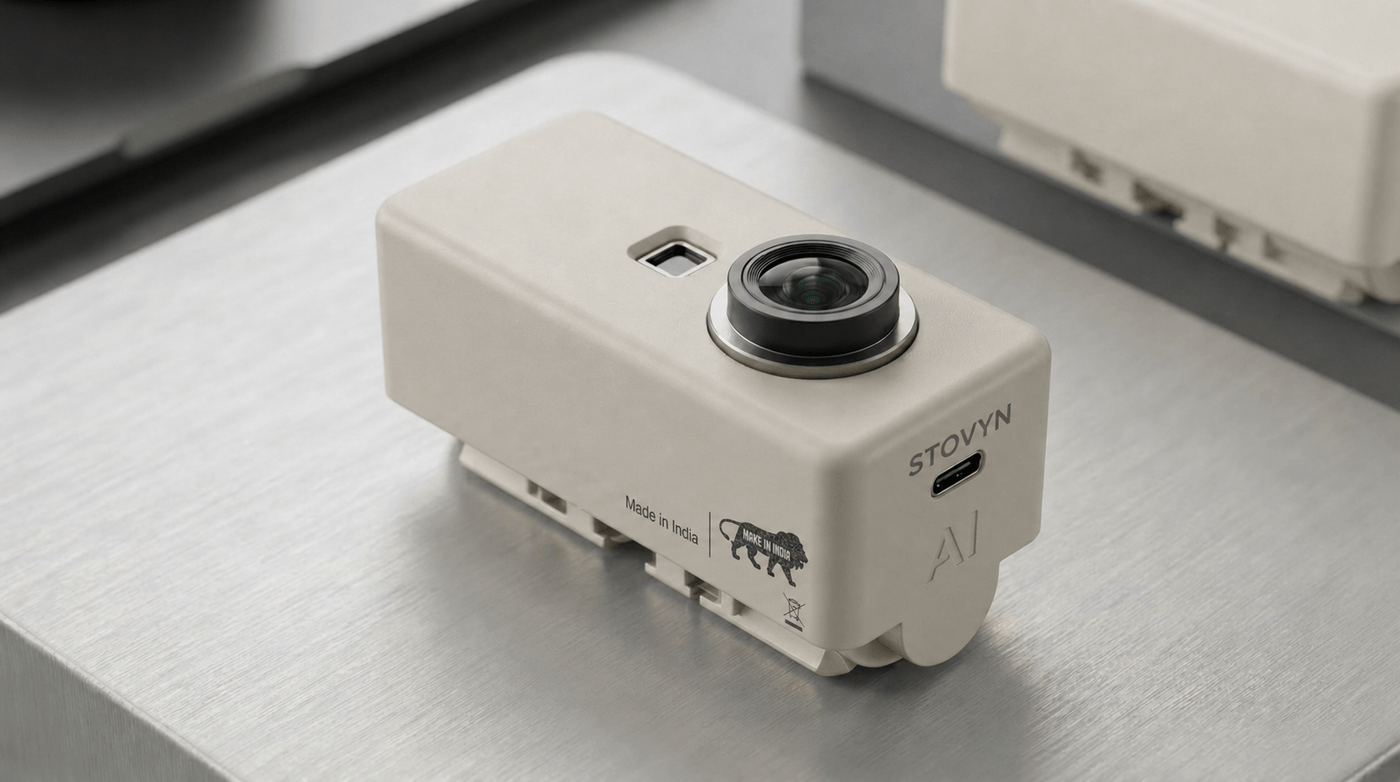
Eyes on every burner.
Per‑burner thermal sensors read the cooktop several times a second. The Pro adds an on‑device camera for a presence check. Always on — day and night.
- Per‑burner thermal sensing
- Pro: camera presence check
- No continuous cloud video
It notices when you don’t.
Sustained high heat with no one around? Stovyn flags it before smoke — it uses calibrated per‑burner thresholds, so it only speaks up when something is actually wrong.
- Catches unattended cooking early
- Calibrated to your stove layout
- Low / Medium / High sensitivity
It reaches you — loudly.
The built‑in speaker sounds right at the stove while escalating alerts hit your phone. The moment risk rises, not after the room fills with smoke.
- ~85 dB local alarm at the stove
- Instant push notifications
- Acknowledge in one tap
If you don’t answer, it calls for backup.
No response in time? Stovyn escalates by SMS to up to five trusted contacts — a neighbor, your daughter, the building manager — so someone can step in.
- Up to 5 trusted contacts
- Consent‑gated SMS escalation
- You always stay in control
The setup, in full
About 15 minutes, start to finish. The app walks you through every step.
Purchase
Pick Standard (thermal) or Pro (adds camera). First year of monitoring is free.
Mount
Above the stovetop, aimed down at the burners. Adhesive or magnetic — no drilling.
Install the app
iOS or Android. Sign in with Apple or Google and open the setup wizard.
Connect Wi‑Fi
Join your 2.4 GHz network (802.11 b/g/n). LED turns solid green when paired.
Add contacts
Up to 5 trusted contacts. Each affirms consent before any SMS can fire.
You’re covered
Continuous monitoring begins. Review incidents and trends in your dashboard.
If Wi‑Fi or power drops: the speaker still beeps locally, but phone and SMS alerts pause until it’s back. The device runs on its own battery, so a brief outage won’t disable it. Always keep certified smoke and CO alarms as your primary safety devices.
Battery
Recharge every ~4–6 weeks via USB‑C (estimated, at ~4 hrs cooking/day). The app warns you ~a week ahead.
Cleaning
Wipe with a soft, damp cloth. No harsh chemicals; don’t submerge.
Updates
Firmware updates download automatically over Wi‑Fi, at no cost.
Support
24/7 help via chat, email, or phone whenever you need it.
Dinner, minus the what-ifs.
Stovyn tracks every burner while you cook and speaks up only when something needs you.
We use cookies to improve your experience
We use essential cookies to make our site work. With your consent, we may also use non-essential cookies to improve user experience. Learn more